Export part details
Export part details so that you can work with them outside of BOM Intelligence.
Export specific part detail information or export all of the information related to a part
 Export part details
- Using the button in the top right corner of the Part Details page, click Export.
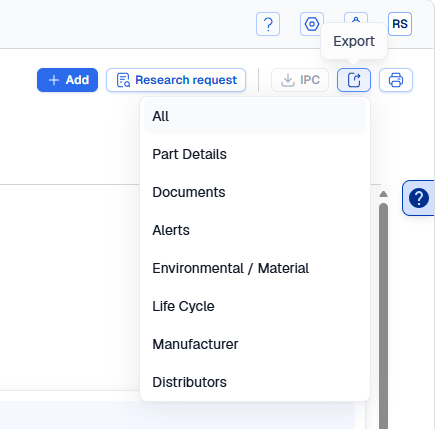
- Use the Export drop-down menu to choose a category to export, or click All to export all Part Details. The download will begin automatically when you make a selection.
Export all
This procedure exports all of the details for the part you are viewing.
- Display the Part Details modal window for the desired part.
- Click Export > Export All in the toolbar above the part details data grid.